Horizontal Bar Chart
When to use
Horizontal bar charts work well when:
- Category labels are long and would overlap on a vertical bar chart.
- You are ranking items (leaderboard, top-N lists).
- The natural reading direction for your categories is left-to-right.
Use ax.HBar(categories, values, chart.BarStyle{...}).
Basic example
package main

import (
	"github.com/goplotlib/goplotlib/chart"
	"github.com/goplotlib/goplotlib/plot"
)

func main() {
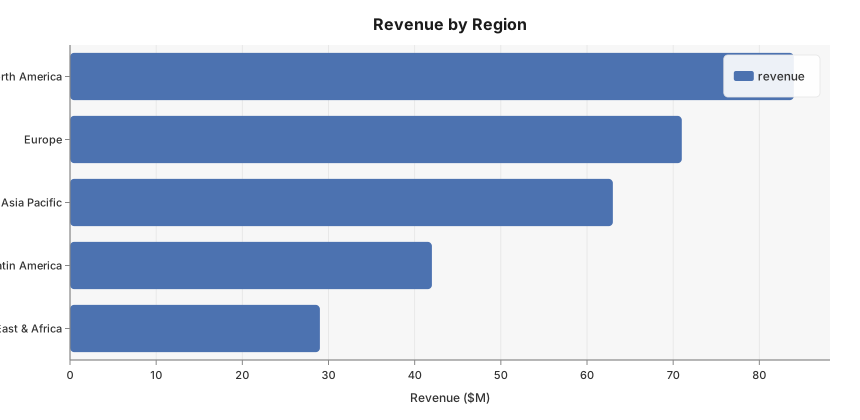
	cats := []string{"North America", "Europe", "Asia Pacific", "Latin America", "Middle East & Africa"}
	vals := []float64{84, 71, 63, 42, 29}

	fig := plot.New(plot.WithWidth(860), plot.WithHeight(420))
	ax := fig.AddAxes()
	ax.HBar(cats, vals, chart.BarStyle{Label: "revenue"})
	ax.SetTitle("Revenue by Region").SetXLabel("Revenue ($M)")
}
Style reference
chart.BarStyle fields (shared with Bar):
| Field | Type | Default | Description |
|---|---|---|---|
Label | string | "" | Series label shown in the legend |
Color | color.Color | palette | Override the automatic palette color |
Opacity | float64 | 1.0 | Overall series opacity, 0.0–1.0 |
SquareBars | bool | false | Set true to disable the default rounded end caps |