Bar Chart
When to use
Bar charts are the right choice when:
- Your x-axis consists of named categories rather than numeric values.
- You want to compare magnitudes across a small number of groups (typically 3–20).
- The order of categories is meaningful (e.g., months, product lines).
Use ax.Bar(categories, values, chart.BarStyle{...}) to add a bar series.
Basic example
package main

import (
	"github.com/goplotlib/goplotlib/chart"
	"github.com/goplotlib/goplotlib/plot"
	"github.com/goplotlib/goplotlib/theme"
)

func main() {
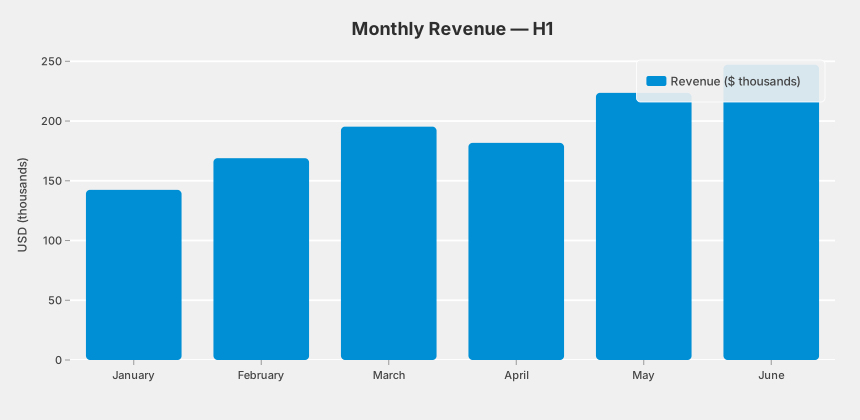
	categories := []string{"January", "February", "March", "April", "May", "June"}
	values := []float64{142.4, 168.9, 195.3, 181.7, 223.6, 247.1}

	fig := plot.New(
		plot.WithWidth(860),
		plot.WithHeight(420),
		plot.WithTheme(theme.FiveThirtyEight),
	)
	ax := fig.AddAxes()
	ax.Bar(categories, values, chart.BarStyle{Label: "Revenue ($ thousands)"})
	ax.SetTitle("Monthly Revenue — H1").SetYLabel("USD (thousands)")
}
Grouped bars
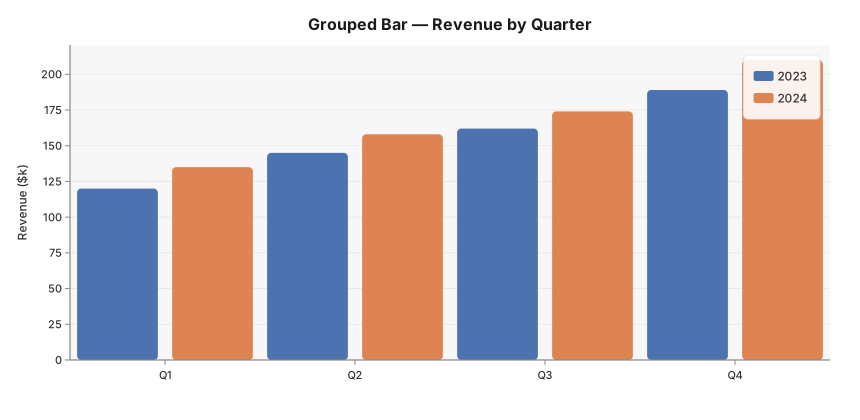
Multiple calls to ax.Bar with the same categories produce a grouped bar chart automatically:
package main

import (
	"github.com/goplotlib/goplotlib/chart"
	"github.com/goplotlib/goplotlib/plot"
)

func main() {
	cats := []string{"Q1", "Q2", "Q3", "Q4"}

	fig := plot.New(plot.WithWidth(860), plot.WithHeight(420))
	ax := fig.AddAxes()
	ax.Bar(cats, []float64{120, 145, 162, 189}, chart.BarStyle{Label: "2023"})
	ax.Bar(cats, []float64{135, 158, 174, 210}, chart.BarStyle{Label: "2024"})
	ax.SetTitle("Grouped Bar — Revenue by Quarter").SetYLabel("Revenue ($k)")
}
Negative values
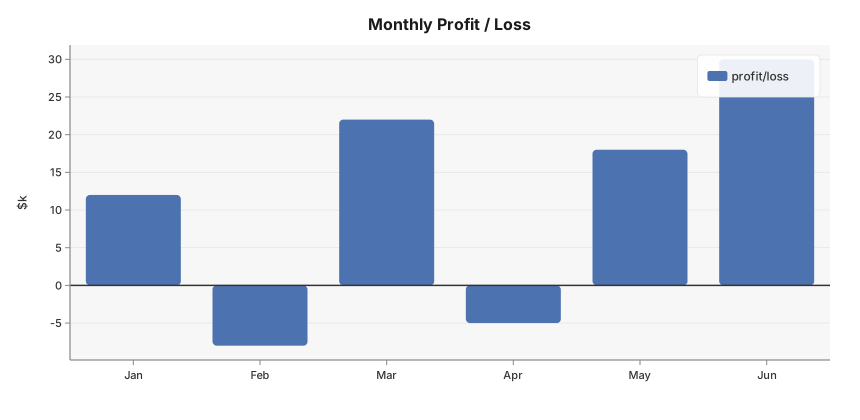
Bars with negative values extend below the baseline automatically:
package main

import (
	"github.com/goplotlib/goplotlib/chart"
	"github.com/goplotlib/goplotlib/plot"
)

func main() {
	cats := []string{"Jan", "Feb", "Mar", "Apr", "May", "Jun"}
	vals := []float64{12, -8, 22, -5, 18, 30}

	fig := plot.New(plot.WithWidth(860), plot.WithHeight(420))
	ax := fig.AddAxes()
	ax.Bar(cats, vals, chart.BarStyle{Label: "profit/loss"})
	ax.SetTitle("Monthly Profit / Loss").SetYLabel("$k")
	ax.HLine(0)
}
Square bars
By default bars have rounded top corners. Set SquareBars: true to disable this:
ax.Bar(cats, vals, chart.BarStyle{Label: "revenue", SquareBars: true})Style reference
chart.BarStyle fields:
| Field | Type | Default | Description |
|---|---|---|---|
Label | string | "" | Series label shown in the legend |
Color | color.Color | palette | Override the automatic palette color |
Opacity | float64 | 1.0 | Overall bar opacity, 0.0–1.0 |
SquareBars | bool | false | Set true to disable the default rounded corners |
Notes
- The y-axis always includes zero so the baseline is unambiguous.
- Bar width is computed automatically from the number of categories.
- For horizontal bars, see Horizontal Bar Chart.
- For stacked bars, see Stacked Bar Chart.